Beauty Filters That Actually Look Natural: Tidy's Ethical Approach to Photo Enhancement
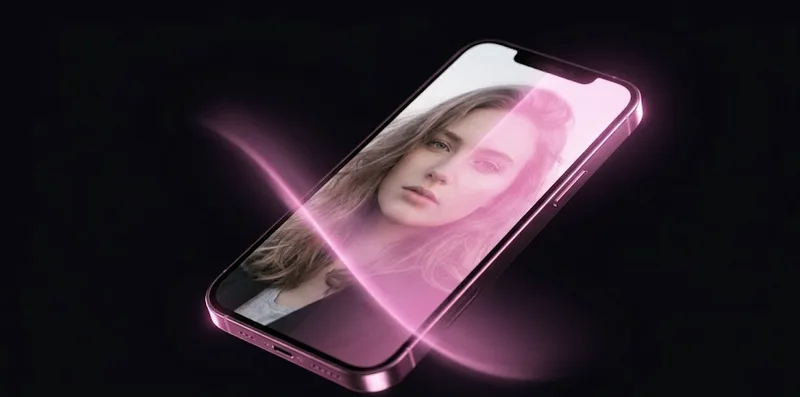
You have probably seen it a hundred times. Someone posts a selfie with a beauty filter, and something just looks… off. Their skin is unnaturally smooth, like porcelain. Their eyes are slightly too large. Their face shape has been subtly altered in a way that crosses the line from “great photo” to “who is that person?”
The beauty filter industry has a problem. In the rush to offer dramatic before-and-after transformations, most apps have overcorrected. The result? Millions of people sharing photos that do not actually look like them. And whether we admit it or not, that takes a toll.
We built Tidy’s beauty tools differently. Our goal was simple: make you look like you on your best day. Not a different person. Not an AI-generated version of yourself. Just you, with slightly better lighting, a bit more sleep, and maybe a really good skincare routine.
The Problem With Most Beauty Filters
Open any popular photo editing app and navigate to the beauty section. You will usually find sliders that go from 0 to 100, and at around 40, things start looking unreal. The problem is not that these tools exist. It is that they are designed to encourage heavy-handed use.
Here is what typically goes wrong:
Recommended reading: The Best Free Photo Editor Built Into Your Gallery Cleaner
- Over-smoothing - Skin loses all texture and pores, creating a plastic, mannequin-like appearance that is immediately recognizable as filtered
- The uncanny valley - Eyes that are just slightly too big, a jawline that is just a bit too sharp. Your brain knows something is off even if you cannot pinpoint what
- One-size-fits-all approach - Most filters apply the same intensity regardless of skin tone, face shape, or lighting conditions in the original photo
- Addictive escalation - Once you get used to seeing yourself heavily filtered, the unfiltered version looks “wrong,” leading to heavier and heavier editing over time
- Social comparison - When everyone is using maximum-strength filters, the standard for what a face “should” look like becomes detached from reality
Research from the American Medical Association has linked heavy beauty filter use to increased rates of body dysmorphia, particularly among teens and young adults. The UK’s Mental Health Foundation found that 1 in 3 adults have felt anxious about their body image because of images they have seen on social media.
This is not a small problem. And we think app developers have a responsibility to address it.
Tidy’s Approach: Enhancement, Not Transformation
When we designed the beauty tools in Tidy, we started with a principle that guided every decision: enhancement, not transformation.
Recommended reading: Clean Photos From Your Home Screen: Interactive Widgets and Live Activities for iPhone
In practice, this means several things:
- Conservative default values - Every beauty slider starts at a subtle level. You have to intentionally push it further to get dramatic effects
- Smart intensity limits - Our sliders are calibrated so that even at maximum, the effect stays within the range of “plausible.” You will not accidentally turn yourself into a cartoon
- Context-aware processing - The same “Skin Smooth” setting behaves differently depending on the lighting, skin tone, and resolution of your photo. A close-up selfie is treated differently than a group shot
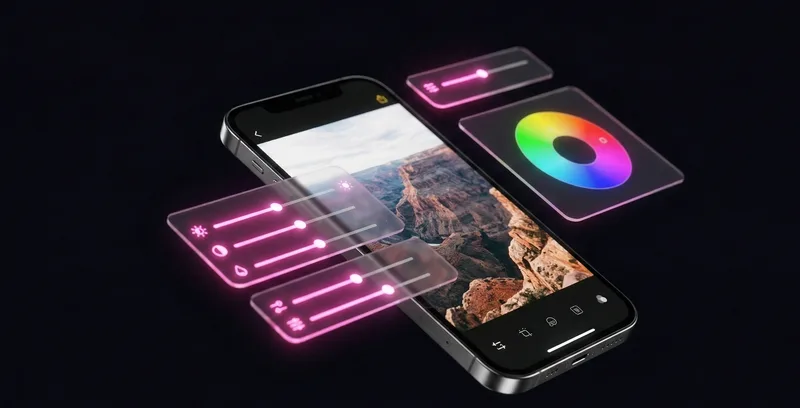
- Real-time preview - You see changes as you make them, so you can find the sweet spot between “no change” and “too much”
The goal is always the same: when someone looks at your photo, they should think “you look great” - not “what filter are you using?”
Body-Positive by Design
This is something we feel strongly about. The first time you open Tidy’s beauty tools, you will see a brief message. It is not a warning or a disclaimer. It is a reminder:
Recommended reading: Turn Photo Cleanup Into a Daily Habit: How Gamification Changed Everything
You already look great. These tools are here for fun - not because you need them.
We call this our Body-Positive Sheet. It is a conscious design choice that sets the tone for the entire beauty editing experience. It takes about three seconds to read, and you can dismiss it with a tap. But those three seconds matter.
We built this feature because we believe that photo editing apps carry more influence than most people realize. When an app puts beauty tools front and center with aggressive before/after marketing, it sends an implicit message: “you are not good enough as you are.” We wanted to send the opposite message.
Every beauty tool in Tidy is framed as optional, fun, and creative. Not corrective. The language we use matters: we say “enhance,” not “fix.” We say “brighten,” not “correct.”

Ready to clean your gallery?
Download Tidy and start swiping. AI-powered duplicate detection, smart filters, and a photo editor built in.
Every Beauty Tool Explained
Tidy includes six beauty tools, each designed for subtle, natural-looking results. Here is what each one does and when you might want to use it.
Skin Smooth
This tool reduces the appearance of skin texture like pores and fine lines. Unlike most smoothing filters that blur everything including your actual features, Tidy’s Skin Smooth uses edge-aware processing. It smooths skin surfaces while preserving the sharp edges of your eyes, eyebrows, lips, and hairline. The result is skin that looks naturally smooth, like you are standing in soft, flattering light.
Portrait Light
Good lighting makes everyone look better. Portrait Light adds a subtle, directional glow that mimics professional studio lighting. It softens shadows under the eyes and chin while adding a gentle highlight to the cheekbones and forehead. Think of it as carrying a ring light in your pocket. This tool is especially effective for photos taken in harsh overhead lighting or dim indoor settings.
Eye Brighten
Tired eyes can make an otherwise great photo fall flat. Eye Brighten adds a subtle sparkle to the whites of your eyes and enhances iris contrast. The effect is designed to mimic the way your eyes look when you are well-rested and excited. It targets just the eye area using precise face landmark detection, so it will not affect the rest of your face.
Face Slim
This is the tool where restraint matters most. Face Slim uses mesh-based warping powered by Apple’s Vision framework to subtly reshape the jawline. At low to medium settings, the effect is barely perceptible - it looks like slightly more flattering camera angle. We intentionally limited the maximum effect to prevent the “pinched” look that ruins so many filtered selfies.
Eye Enlarge
Eye Enlarge subtly increases the apparent size of your eyes. At low settings (which we recommend), it adds about 5-8% size increase, which is roughly equivalent to the difference between looking tired and looking alert. Like Face Slim, this tool uses mesh warping anchored to Vision framework landmarks, ensuring the effect is symmetrical and proportional to your actual face shape.
Lip Plump
Lip Plump adds subtle fullness to the lips using the same mesh warping technology. It works by gently expanding the lip area while maintaining the natural lip line. The effect is calibrated to look like you just applied a good lip balm, not like you had a cosmetic procedure. It works with all lip shapes and is particularly effective in photos where compressed perspective has made lips look thinner than they appear in real life.
On-Device Face Detection With Apple Vision
Every beauty tool in Tidy relies on accurate face detection, and we use Apple’s Vision framework to make it happen. Here is why that matters.
Vision is Apple’s built-in computer vision framework. It can detect faces, identify 76 facial landmarks (eyes, nose, mouth, jawline, eyebrows), and create detailed face meshes - all on your device, without sending any data to a server.
For Tidy’s beauty tools, Vision provides:
- Precise face boundary detection - Knows exactly where your face begins and ends, so effects only apply to the right areas
- 76 facial landmark points - Pinpoints the exact location of eyes, lips, nose, jawline, and eyebrows for targeted effects
- Face mesh generation - Creates a detailed 3D mesh of the face for warping effects like Face Slim and Eye Enlarge
- Multi-face support - Detects and processes multiple faces in group photos
- Person segmentation - Separates you from the background so beauty effects never bleed into the environment behind you
When you open a photo in Tidy’s beauty editor, the Vision framework analyzes the image in milliseconds. It finds every face, maps all 76 landmarks, generates person segmentation masks, and caches the results. All subsequent beauty adjustments use this cached data, which is why slider changes feel instant.
We also display an optional face mesh overlay in beauty mode - a glowing wireframe that shows you exactly which facial landmarks Tidy has detected. It is a transparency feature: you can see precisely what the app “sees” about your face.
Quick Touch-Up: One-Tap Natural Enhancement
Not everyone wants to fine-tune six individual sliders. For those moments when you just want a quick, natural boost, Tidy offers Quick Touch-Up.
Tap it once, and Tidy applies a balanced combination of all beauty tools at subtle, pre-tested levels:
- Light skin smoothing (about 25% intensity)
- Gentle portrait lighting
- Subtle eye brightening
- Minimal face and eye adjustments
The result looks like you took the photo in perfect lighting after a good night of sleep. Quick Touch-Up is designed for the “post it and go” workflow - when you want to look your best without spending five minutes tweaking individual settings.
If you like what Quick Touch-Up does but want to adjust a specific aspect, you can. All the individual sliders are still available, and they will reflect the Quick Touch-Up values so you can fine-tune from there.
Your Face Data Never Leaves Your Device
Let’s talk about something important: privacy.
Many beauty filter apps upload your face data to cloud servers for processing. This means your facial geometry, skin characteristics, and edited photos pass through someone else’s infrastructure. Some apps use this data to train their AI models. Others share it with third-party partners.
Tidy does none of that. Here is our privacy approach in simple terms:
- All processing happens on your iPhone - Face detection, landmark mapping, mesh generation, and every beauty effect runs entirely on your device using Apple’s frameworks
- No cloud uploads - Your photos and face data are never sent to our servers or any third-party service
- No data collection - We do not collect, store, or transmit facial geometry, skin characteristics, or any biometric information
- No AI training - Your photos are never used to train machine learning models
- Face data is temporary - The facial landmarks and mesh data generated during editing exist only in memory while you are editing. The moment you close the editor, that data is discarded
This is not just a policy. It is a technical architecture decision. Tidy’s beauty tools are built on Apple’s on-device frameworks (Vision and Core Image), which are specifically designed to process data locally. There is literally no server infrastructure in our app that could receive face data even if we wanted to send it.
In an era where face data is incredibly valuable and frequently exploited, we think this matters a lot.
Tips for Natural-Looking Enhancements
Want to get the best results from Tidy’s beauty tools? Here are some practical tips from our team:
- Start with Quick Touch-Up - It is pre-calibrated for natural results and works surprisingly well for most photos
- Use the before/after slider - Toggle between the original and edited version frequently. If you can instantly tell which is edited, you have probably gone too far
- Less is more with Face Slim and Eye Enlarge - These reshaping tools are most convincing at 15-30% intensity. Higher settings can look great in isolation but less natural in context
- Portrait Light works best on close-ups - The lighting effect is designed for portrait-distance photos. It is less effective on full-body shots
- Combine Skin Smooth with Eye Brighten - This combination creates the “well-rested” look that is the most universally flattering and natural enhancement
- Zoom in to check edges - After editing, pinch to zoom on the boundary between your face and the background. Good edits have clean, natural transitions. If you see blurring or artifacts at edges, dial back the intensity
The golden rule: If someone who sees you every day would look at your photo and think “great photo!” instead of “what filter is that?”, you have nailed it.
Beauty tools should be fun to use, not anxiety-inducing. They should make you feel more confident about sharing your photos, not less confident about how you look without them. That is the experience we set out to build with Tidy, and we think you will feel the difference the moment you try it.
If you are also looking to clean up your photo library while you are at it, check out our guide on how to compare photos side by side to pick your best shots, or learn how gamification can turn photo cleanup into a daily habit.